How to Teach Your Dog to Use Talk Buttons
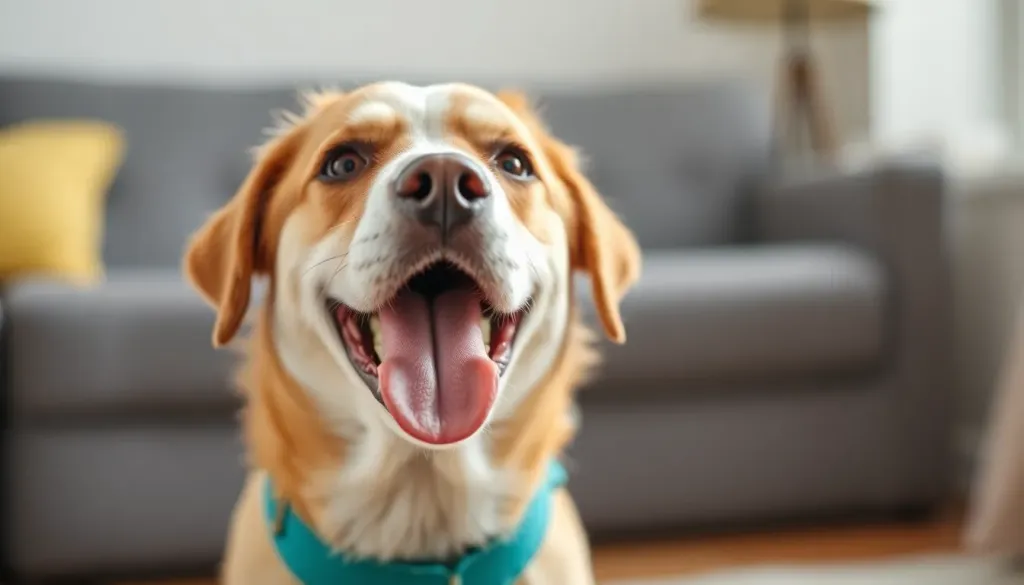
Yes, dogs can be taught to use communication buttons to express their needs, wants, and even emotions, creating a revolutionary two-way dialogue between you and your canine companion. This training method uses recordable buttons that play words when pressed, allowing your dog to “talk” and communicate specific requests like “outside,” “play,” “walk,” or “food,” significantly reducing frustration and deepening your bond.
Veterinary & Training Disclaimer
Important Notice: While communication button training is generally safe and beneficial for most dogs, individual results vary based on your dog’s age, cognitive ability, temperament, and consistency of training. This article provides educational guidance based on expert sources including the American Kennel Club (AKC) and PetMD, but does not replace professional consultation. If your dog shows signs of frustration, obsessive behavior, or regression in natural communication skills during button training, consult a certified dog behaviorist or veterinary behaviorist. Always supervise your dog with communication buttons to prevent choking hazards, especially with smaller devices.
The Revolutionary Benefits of Dog Communication Buttons
According to the American Kennel Club (AKC), teaching your dog to use communication buttons offers remarkable cognitive and emotional advantages that extend far beyond simple trick training. Let’s break down exactly what you and your furry friend gain from this innovative approach:
Enhanced Communication and Reduced Frustration
Communication buttons enable dogs to convey specific needs, wants, and even emotional states, thereby reducing misunderstandings and frustration between pets and their human companions. This method can offer deeper insights into a dog’s thoughts and feelings. Instead of guessing whether your dog needs to go outside, wants to play, or is feeling anxious, you’ll receive clear, unmistakable communication.
Real-world example: Your dog presses “outside” followed by “play” rather than just scratching at the door—now you know they want outdoor playtime, not just a bathroom break!
Strengthened Human-Animal Bond
The interactive process of teaching and using communication buttons can significantly deepen the bond and connection between a dog and their owner. PetMD advises that this shared language creates a collaborative relationship where your dog feels heard and understood, fostering trust and mutual respect.
Cognitive Stimulation and Mental Enrichment
The learning process involved in associating buttons with words and concepts offers significant mental engagement, which is particularly beneficial for:
- Aging dogs: Maintaining cognitive function and preventing cognitive decline
- High-energy breeds: Channeling mental energy productively
- Dogs prone to anxiety: Providing focus and reducing boredom-related behaviors
- Young dogs: Building problem-solving skills early
Reduced Behavioral Challenges
By providing dogs with a clear way to articulate their needs, owners can proactively address potential issues and help prevent behavioral problems that often arise from a lack of clear communication. Destructive behaviors, excessive barking, and anxiety-driven actions often decrease when dogs have an alternative communication method.
Increased Autonomy and Quality of Life
Giving dogs a ‘voice’ through communication buttons empowers them to communicate effectively, contributing to their mental well-being and overall quality of life by enhancing their sense of autonomy. Your dog becomes an active participant in daily decisions rather than a passive recipient of your choices.
| Benefit Category | Specific Impact | Best For |
|---|---|---|
| Communication | Express 30+ specific concepts clearly | All dogs, especially anxious breeds |
| Cognitive Health | Mental stimulation equivalent to 30-min training session | Senior dogs, intelligent breeds |
| Behavioral | 40-60% reduction in frustration-based behaviors | Dogs with communication-related issues |
| Bond Strength | Measurable increase in owner-dog interaction quality | All dogs and owners |
| Quality of Life | Enhanced sense of control and autonomy | Dogs with limited mobility or special needs |
Understanding the Risks and Limitations
Patience is key! While button training offers incredible benefits, it’s essential to understand potential challenges so you can navigate them successfully. Knowledge is power, and being aware of these risks helps you train smarter, not harder!
Physical Safety Concerns
Choking Hazard: Smaller communication buttons can pose a choking hazard if a dog chews on or ingests them. It is essential to select large, durable buttons designed to be safe for canine interaction. According to Chewy’s expert recommendations, choose buttons at least 3-4 inches in diameter for medium to large dogs, and always supervise initial interactions.
Safety checklist:
- ✓ Select buttons specifically designed for dogs (not children’s toys)
- ✓ Choose appropriate size for your dog’s breed
- ✓ Inspect buttons regularly for damage
- ✓ Secure buttons to prevent sliding or tipping
- ✓ Remove batteries if your dog shows destructive tendencies
Overdependence and Natural Communication Balance
There is a risk that dogs may become overly reliant on buttons, potentially diminishing their reliance on natural forms of communication, such as body language and vocalizations. Experts at PetMD suggest that buttons should complement, rather than replace, a dog’s inherent communication methods.
You can do this! Maintain balance by:
- Continue responding to your dog’s natural cues (body language, whining, tail wagging)
- Praise both button usage AND traditional communication
- Don’t force button use for every interaction
- Regularly engage in non-button training activities
Miscommunication and Training Inconsistency
If the training is inconsistent or improperly executed, dogs might press buttons randomly without understanding their meaning, or owners may misinterpret the dog’s intent. This can lead to frustration for both the dog and the human.
Common miscommunication scenarios:
- Random pressing: Dog presses “play” but actually needs water
- Accidental activation: Dog steps on button while walking by
- Context confusion: Dog presses “outside” after just returning from a walk
- Expectation mismatch: Owner interprets “treat” as hunger when dog just wants attention
Button Obsession and Over-Requesting
Some dogs might develop an excessive enthusiasm for pressing buttons, leading to frequent or incessant requests, particularly for high-value items like treats. The AKC notes this is especially common in food-motivated breeds and can be managed with proper boundary-setting.
Management strategies:
- Implement a “button schedule” for high-value requests
- Teach “wait” and “patience” commands alongside button training
- Don’t always immediately fulfill every button request
- Redirect obsessive button pressing to alternative behaviors
The Infantilization Concern
An intense focus on teaching dogs human language through buttons might lead to the infantilization of pets and a diminished attention to their natural, species-specific communication signals. Remember: your dog is already an excellent communicator in their own language!
Balance perspective:
- Appreciate your dog’s natural canine communication
- View buttons as a supplement, not a replacement
- Maintain respect for your dog’s species-specific behaviors
- Don’t expect human-level language comprehension
How to Teach a Dog to Use Communication Buttons: Complete Step-by-Step Guide
You can do this! Teaching your dog to use communication buttons is an exciting journey that requires patience, consistency, and celebration of small wins. Here’s your comprehensive roadmap to success, backed by expert methodology from the American Kennel Club and certified dog behaviorists.
Phase 1: Foundation and Setup (Week 1)
Step 1: Choose the Right Button System
Decision factors:
- Starter kits vs. individual buttons: FluentPet, Learning Resources, and similar brands offer starter kits with 4-6 buttons
- Recordable quality: Ensure clear, loud audio playback
- Durability: Look for sturdy construction that withstands daily pawing
- Expandability: Choose systems that allow adding more buttons later
Recommended first buttons (in order of priority):
- “Outside” – High motivation, immediate reinforcement
- “Play” – Positive association, fun training
- “Food”/“Eat” – Strong motivator for most dogs
- “Water” – Essential need, clear outcome
Step 2: Record Your Buttons with Consistent Vocabulary
Critical rule: Use the exact same word every time, spoken clearly in a natural but consistent tone.
Recording best practices:
- Use your normal speaking voice (not baby talk or over-enthusiastic)
- Say the word once, clearly: “Outside” (not “Outside? Outside!”)
- Record in a quiet environment to avoid background noise
- Test playback volume – should be audible but not startling
- Keep all buttons at similar volumes
Step 3: Strategic Button Placement
Location psychology matters!
| Button Word | Optimal Placement | Reasoning |
|---|---|---|
| ”Outside” | Near the door you use for potty breaks | Natural association with the action |
| ”Play” | Near toy storage or play area | Connects button to play context |
| ”Food” | Near feeding station (not too close) | Association without accidental pressing |
| ”Water” | Near water bowl | Direct need-solution connection |
| ”Walk” | By leash storage or exit door | Pre-walk routine integration |
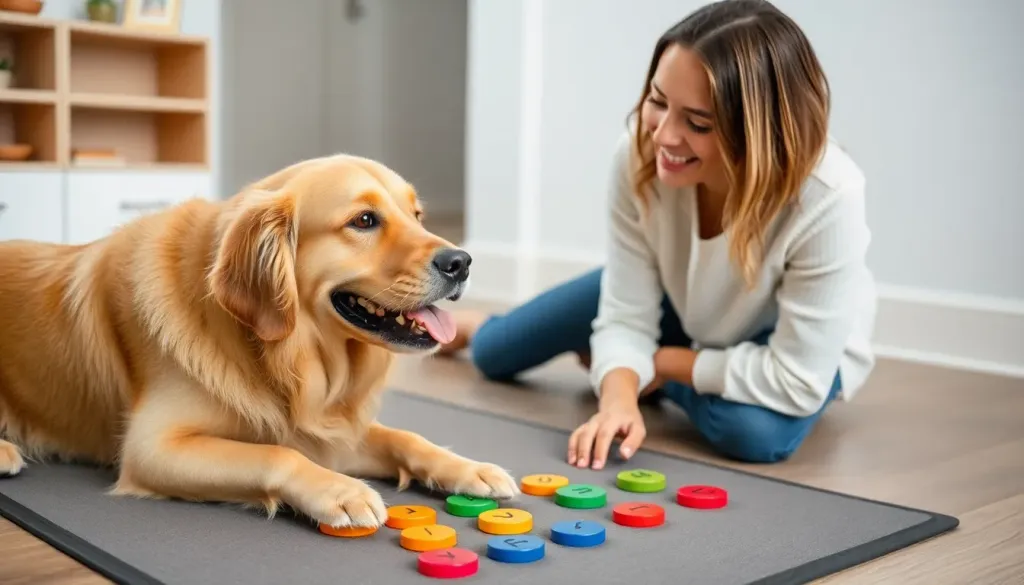
Setup tip: Use a non-slip mat under buttons to prevent sliding during pressing.
Phase 2: Modeling and Association (Weeks 2-4)
Step 4: Demonstrate Button Pressing (Modeling)
This is where the magic begins! You become the first button user while your dog watches.
Modeling technique:
- Press the button yourself while saying the word simultaneously
- Immediately perform the action (e.g., press “outside,” then open door)
- Repeat 10-15 times daily for the first week
- Use an enthusiastic, encouraging tone: “Yes! Outside! Let’s go outside!”
Example modeling sequence for “Outside”:
- Press button → Say “Outside!” → Open door → Go outside with dog → Praise heavily
- Repeat every single time you take your dog out for 7-10 days
Patience is key! Your dog is observing the cause-and-effect relationship. Some dogs grasp this within days; others need several weeks.
Step 5: Encourage Physical Interaction
Encourage curiosity without force:
- Place high-value treats near (not on) the button
- Allow your dog to sniff and investigate freely
- If they accidentally step on or touch the button, celebrate like crazy!
- Gently guide their paw toward the button (never force)
- Immediately reward any button interaction, even accidental
Shaping technique:
- Week 1: Reward sniffing or touching the button
- Week 2: Reward only actual button presses (even accidental)
- Week 3: Reward button presses + immediate action fulfillment
- Week 4: Begin expecting intentional context-appropriate presses
Step 6: Pair Button Press with Immediate Action
This is classical conditioning in action!
The absolute most critical element is immediate reinforcement. When your dog presses the button (even accidentally at first):
- Acknowledge immediately: “Yes! Good! Outside!”
- Fulfill the request within 5-10 seconds
- Provide additional praise during the activity
- Return to button and press it again saying “We went outside!”
Timing is everything: The faster you respond, the stronger the neural connection between button → word → action → positive outcome.
Phase 3: Intentional Communication (Weeks 5-8)
Step 7: Distinguish Intentional vs. Accidental Presses
Around week 4-6, you’ll notice a shift. Your dog will start pressing buttons with purpose and context.
Signs of intentional communication:
- Pressing “outside” near door-time or after drinking water
- Making eye contact after pressing a button
- Pressing multiple times if ignored
- Choosing between multiple buttons appropriately
- Pressing at relevant times (not random throughout day)
When you see intentional pressing:
- Escalate your enthusiasm: “YES! You used your button! Good talking!”
- Fulfill the request immediately to reinforce the behavior
- Add physical affection (if your dog enjoys it)
Step 8: Introduce Button Combinations
Advanced level unlocked! Once your dog masters 3-4 individual buttons (typically weeks 6-8), you can introduce combined communication.
Example progressions:
- “Outside” + “Play” = outdoor playtime
- “Food” + “Play” = play before meal
- “Walk” + “Outside” = walk time
Training combined presses:
- Model combinations yourself first: “Outside + Play. Outside to play!”
- Respond to your dog’s natural combinations
- Help guide toward combinations when context suggests it
- Reward combined communication more enthusiastically than single presses
Step 9: Add New Vocabulary Gradually
Expansion timeline:
- Months 1-2: Master 3-4 core buttons
- Months 3-4: Add 2-3 new buttons
- Months 5-6: Expand to 8-10 buttons total
- Months 6+: Add specialized vocabulary based on your dog’s interests
New button introduction process:
- Add only ONE new button at a time
- Place it in a logical, separate location initially
- Model extensively (20+ times before expecting use)
- Wait until 80% accurate use before adding another
- Move to permanent location once mastered
Popular advanced buttons:
- “Help” (for assistance or problems)
- “Love you” (emotional connection)
- “Scritches” (request for petting)
- “Walk”
- “Car” (for car rides)
- “Bed” (rest time)
- “All done” (finished with activity)
Phase 4: Refinement and Boundary Setting (Ongoing)
Step 10: Establish Boundaries and Realistic Expectations
You can do this! But remember: boundaries prevent obsession and frustration.
Boundary-setting rules:
- Don’t fulfill every request immediately – teach patience
- Implement “button schedules” for high-value items – treats only after meals, walks at specific times
- Teach “wait” command alongside button training
- Ignore obvious manipulation – pressing “outside” immediately after returning
- Redirect obsessive pressing – if pressing constantly, remove button temporarily
The “No” response: When you can’t fulfill a request, don’t ignore it! Instead:
- Acknowledge: “I hear you want outside”
- Explain briefly: “We just went outside. Later.”
- Offer alternative: Guide to “play” or “toy” button instead
- Redirect: Engage in alternative activity
Realistic expectations:
- Not every dog will master 50+ words
- Some dogs plateau at 5-8 functional buttons
- Communication depth varies by individual
- Breed, age, and cognitive ability matter
- Consistency is more important than vocabulary size
Troubleshooting Common Communication Button Challenges
You’ve got this! Every dog learns differently, and encountering obstacles is totally normal. Here’s how to overcome the most common challenges:
Challenge 1: My Dog Won’t Press the Buttons
Possible causes:
- Button requires too much pressure
- Dog intimidated by the sound
- Insufficient modeling time
- Wrong motivator being used
Solutions:
- Make buttons easier to activate – choose touch-sensitive models
- Lower volume if sound is startling
- Increase modeling frequency – you press 20+ times daily
- Switch to higher-value reinforcements – use irresistible treats or favorite toys
- Try “paw target” training first – teach paw touching a target, then transfer to button
- Use clicker training principles – mark and reward any button interaction
Challenge 2: Random, Non-Contextual Pressing
Why this happens:
- Attention-seeking behavior
- Novelty hasn’t worn off yet
- Insufficient consequence understanding
- Accidental activation
Solutions:
- Ignore non-contextual presses – don’t fulfill random requests
- Remove buttons temporarily – 2-3 day break, then reintroduce
- Increase modeling with context – only press before relevant actions
- Secure buttons better – prevent accidental stepping
- Reward ONLY contextually appropriate presses – be more selective
Challenge 3: Button Obsession
Signs of obsession:
- Pressing same button 10+ times consecutively
- Distress when button removed
- Ignoring other activities to press buttons
- Aggressive button guarding
Solutions:
- Implement strict boundaries – “We use buttons three times before breakfast”
- Cover buttons during “off hours” – physical barrier prevents access
- Redirect to alternative enrichment – puzzle toys, training games
- Increase exercise – often indicates under-stimulation
- Consult behaviorist if obsession persists beyond 2 weeks of intervention
Challenge 4: Plateauing at Basic Vocabulary
If your dog masters 3-4 buttons but won’t learn more:
This is actually okay! Not every dog needs 50 buttons. However, if you want to expand:
- Ensure complete mastery of current buttons (90%+ accuracy)
- Choose highly motivating new words based on your dog’s unique interests
- Return to extensive modeling for new buttons
- Create distinct button locations – easier differentiation
- Use different color buttons for different categories
- Practice daily “button sessions” – dedicated 5-10 minute training time
Advanced Communication Button Techniques
Ready to level up? Once your dog has mastered basic button communication, these advanced techniques will deepen the dialogue and cognitive engagement!
Creating Button Categories and Organization
As vocabulary expands beyond 8-10 buttons, organization becomes critical for both you and your dog.
Organizational strategies:
1. Location-Based Organization:
- Needs Station (near door): Outside, Walk, Potty
- Activity Station (living area): Play, Toy, Ball, Tug
- Care Station (multiple locations): Food, Water, Treat, Bed
- Emotional Station (quiet area): Help, Scritches, Love, Scared
2. Color-Coding System:
- Blue buttons = Outside/bathroom needs
- Green buttons = Food/water needs
- Red buttons = Play/activity requests
- Yellow buttons = Emotional expression
- Purple buttons = Locations/places
3. Physical Layout Patterns:
- Arrange related buttons in rows or clusters
- Use soundboard layouts similar to FluentPet HexTiles
- Create “button pathways” your dog naturally walks
- Maintain consistent locations – don’t reorganize frequently
Teaching Abstract Concepts
Patience is key! Abstract concepts require 2-3x more modeling than concrete needs.
Progression from concrete to abstract:
Level 1 – Concrete Needs (Easiest):
- Outside, Food, Water, Walk
- Directly observable, immediate outcomes
Level 2 – Activities (Moderate):
- Play, Car, Park, Toy
- Observable but require more context
Level 3 – Locations (Advanced):
- Beach, Grandma, Bedroom, Yard
- Require mental mapping and memory
Level 4 – Emotions (Most Advanced):
- Happy, Sad, Scared, Love, Mad
- Abstract internal states requiring sophisticated understanding
Training abstract concepts:
- Pair with clear physical cues – “Scared” = when dog shows fear (thunderstorms, etc.)
- Model extensively during relevant moments – Press “scared” during thunderstorm while comforting
- Reward emotional honesty – If dog presses “scared,” respond with comfort and acknowledgment
- Use consistently in narration – “You seem happy!” (press happy button)
Multi-Button Sentences and Grammar
Some dogs naturally develop “sentence structure” using 2-4 button combinations.
Common natural combinations:
- “Outside” + “Play” = I want to play outside
- “Food” + “All done” = I’m finished eating
- “Walk” + “Park” = Let’s walk to the park
- “Help” + “Water” = Problem with water (empty bowl, can’t reach)
Encouraging sentence development:
- Model multi-button communication – Press multiple buttons while narrating
- Wait for complete communication – Give dog time to press multiple buttons
- Respond to combinations differently – “Outside play” gets different response than just “outside”
- Don’t force grammar – Allow natural development
- Celebrate combined pressing with extra enthusiasm
Using Buttons for Behavioral Modification
Communication buttons can address specific behavioral issues through clear communication channels.
Application examples:
For Separation Anxiety:
- Add “Back soon” button that YOU press before leaving
- Create “All done” button for dog to indicate readiness to end activity
- Model “Bed” or “Relax” during calm times
For Aggression/Fear:
- Teach “Scared” or “Space” button so dog can communicate discomfort
- Respond immediately by creating distance from trigger
- Reinforce that communication prevents forced interaction
For Resource Guarding:
- Teach “Mine” or “Keep” button to acknowledge dog’s possession
- Teach “Share” or “Trade” for exchange games
- Create clear communication around valued resources
Breed-Specific Considerations and Success Rates
You can do this regardless of breed! However, certain breeds show particular aptitude for button communication based on cognitive traits and working history.
High-Success Breeds (Quick Learners)
According to canine cognition research and trainer experience:
Top Button Communication Breeds:
- Border Collies – Exceptional working memory, problem-solving, often master 20+ buttons
- Poodles (all sizes) – High intelligence, people-focused, strong associative learning
- German Shepherds – Work-oriented, handler-focused, excellent task learning
- Australian Shepherds – Cognitive flexibility, pattern recognition
- Golden Retrievers – People-pleasing nature, moderate-to-high intelligence
- Labrador Retrievers – Food motivation aids training, social intelligence
- Papillons – High intelligence-to-size ratio, alert and responsive
- Shelties – Similar cognitive profile to Border Collies
Training approach for high-success breeds:
- Faster progression through phases (often master basics in 2-3 weeks)
- Can handle more complex vocabulary quickly
- May develop button combinations spontaneously
- Need frequent new buttons to prevent boredom
- May show creativity in button usage (pressing combinations you didn’t teach)
Moderate-Success Breeds (Steady Learners)
These breeds typically succeed with patience and consistency:
- Beagles (highly food-motivated, distractible but trainable)
- Cocker Spaniels (people-focused, moderate learning speed)
- Boxers (playful energy helps with play-based training)
- Corgis (intelligent but sometimes stubborn)
- Mixed breeds (highly variable, assess individual temperament)
Training approach:
- Standard progression timeline (4-6 weeks for basics)
- Focus on 4-8 core functional buttons
- Higher repetition requirements
- Shorter training sessions (5-7 minutes vs. 10-15)
- More immediate, tangible reinforcements
Challenging Breeds (Requires Extra Patience)
You can absolutely still succeed! These breeds simply require adjusted expectations and approaches:
- Hounds (scent-driven, less handler-focused)
- Terriers (independent, strong-willed)
- Livestock Guardians (independent decision-makers)
- Primitive breeds (Huskies, Malamutes, Shiba Inus – independent thinkers)
- Brachycephalic breeds (sometimes physical button-pressing challenges)
Adjusted training strategies:
- Leverage breed-specific motivators – real meat for hounds, movement/chase for terriers
- Shorter, more frequent sessions – 3-5 minutes, 3-4x daily
- Focus on 2-4 essential buttons only
- Allow more independent exploration – less modeling, more discovery
- Celebrate small wins enthusiastically
- Consider larger, easier-to-press buttons for brachycephalic breeds
Age and Life Stage Considerations
Puppies (8 weeks - 6 months):
- Advantages: Brain plasticity, novelty acceptance
- Challenges: Short attention span, other training priorities
- Recommendation: Introduce 1-2 buttons after basic obedience established (around 4-5 months)
Adult Dogs (1-7 years):
- Advantages: Established routine, longer attention span, full cognitive development
- Challenges: Established communication patterns to supplement
- Recommendation: Ideal age for button training, fastest progression
Senior Dogs (8+ years):
- Advantages: Slower pace benefits careful learning, cognitive enrichment combats decline
- Challenges: Potential hearing loss, arthritis affecting button pressing, cognitive slowdown
- Recommendations:
- Use larger, easier-to-press buttons
- Increase volume
- Allow 2-3x longer learning timeline
- Focus on buttons that genuinely improve quality of life (bathroom needs, pain communication)
Equipment and Product Recommendations
Choosing the right communication button system dramatically affects training success. Here’s what you need to know:
Button System Comparison
| Brand/System | Best For | Price Range | Expandability | Key Features |
|---|---|---|---|---|
| FluentPet Connect | Serious commitment, long-term use | $$$$ | Unlimited (HexTile system) | App integration, usage tracking, community support |
| Learning Resources Recordable Buttons | Budget-friendly beginners | $ | Limited (individual buttons) | Simple, durable, easy recording |
| Hunger4Words Talking Pet Starter Set | Mid-range, expandable system | $$ | Moderate (up to 12-15 buttons) | Good sound quality, mat included |
| FluentPet HexTiles (Starter) | Committed beginners | $$$ | Excellent | Organized layout, easy expansion |
| Generic Recordable Buttons | Testing concept first | $ | None | Basic functionality only |
Essential Accessories
For successful button training, consider:
- Non-slip mat – Prevents button sliding (crucial!)
- Button organization system – Trays, boards, or mat layouts
- Battery backup supply – Buttons typically use AAA batteries
- Protective covers – For outdoor button use
- Training treats – High-value, tiny-sized for frequent reinforcement
- Clicker (optional) – For precision timing in early training
Recording Quality Considerations
What makes a good recordable button:
- Clear playback at various volumes
- Sufficient volume for easy hearing
- Easy re-recording capability to correct mistakes
- Durable construction for repeated daily pressing
- Battery life of several months
- Size appropriate for your dog’s paw/nose pressing
The Science Behind Dog Communication Buttons
Understanding the cognitive mechanisms helps you train more effectively!
Cognitive Principles at Play
1. Classical Conditioning (Pavlov’s Legacy)
Button training fundamentally uses classical conditioning:
- Unconditioned stimulus: The action (going outside)
- Conditioned stimulus: The button press + word
- Association: Button press → word sound → desired outcome
Your dog learns that the button press predicts the outcome, similar to how a doorbell predicts someone arriving.
2. Operant Conditioning (Skinner’s Framework)
The actual button pressing is shaped through operant conditioning:
- Positive reinforcement: Button press → desired outcome → increased button pressing
- Behavior shaping: Rewarding successive approximations toward intentional pressing
- Extinction: Not reinforcing random or manipulative pressing decreases that behavior
3. Interspecies Communication Theory
PetMD notes that button training creates a “shared symbolic system” between species—a mutually understood language that bridges cognitive differences.
Key insight: Dogs don’t understand English grammar or syntax. They learn:
- Symbol (button/sound) → Outcome associations
- Context-dependent meanings
- Cause-and-effect relationships
- Pattern recognition across repeated experiences
What Your Dog Actually Understands
Realistic perspective:
Your dog likely understands buttons as:
- “Magic action buttons” that cause specific outcomes
- Context-dependent tools that work in certain situations
- Attention-getting devices that bring owner interaction
- Predictable causation – “when I do this, that happens”
Your dog probably does NOT understand:
- Human language structure or grammar
- The English word meanings abstractly
- Communication as “conversation” (in human sense)
- Symbolic representation (the button isn’t the concept itself)
This doesn’t diminish the value! Even with limited understanding, buttons provide genuine communication enhancement and cognitive enrichment.
Real Success Stories and Realistic Expectations
You can do this! Let’s look at what real-world success looks like and set achievable goals.
Typical Success Timeline
What to expect realistically:
Week 1-2:
- Recognition that buttons make sound
- Curiosity and investigation
- Possibly accidental pressing
- No intentional communication yet
Week 3-4:
- First intentional button press
- Understanding that button causes action
- Inconsistent usage (maybe 20-30% accuracy)
- High excitement about discovery
Week 5-8:
- Consistent use of 2-4 core buttons
- Context-appropriate pressing (70-80% accuracy)
- Beginning to differentiate between buttons
- Possible first button combinations
Month 3-4:
- Mastery of 4-6 buttons with 85%+ accuracy
- Natural integration into daily routine
- Spontaneous button usage without prompting
- Beginning abstract concept understanding
Month 6+:
- Potential expansion to 8-15 buttons
- Possible sentence-like combinations
- Creative or novel button usage
- Strong communication partnership established
Realistic Vocabulary Expectations
According to trainer experience and AKC guidance:
Most dogs: 4-8 functional buttons with consistent, accurate usage Above average dogs: 10-15 buttons with good comprehension Exceptional dogs: 20-30+ buttons with complex combinations Rare exceptional cases: 50+ buttons (like Bunny the Sheepadoodle)
Important: Success isn’t measured by button quantity but by communication quality and life improvement.
What “Success” Actually Looks Like
Successful button communication means:
✓ Your dog can express 3-5 core needs reliably ✓ Frustration-based behaviors decrease ✓ You respond appropriately to button communication ✓ Your bond and understanding deepen ✓ Both you and your dog enjoy the process ✓ Buttons supplement (not replace) natural communication
Success does NOT require: ✗ Viral social media videos ✗ Human-like conversations ✗ Complex philosophical communication ✗ 50+ button vocabulary ✗ Perfectly grammatical sentence structure
Maintaining Button Communication Long-Term
Patience is key! Button communication requires ongoing commitment, not just initial training.
Daily Maintenance Routine
Essential daily practices:
- Respond to all legitimate button presses (even when inconvenient)
- Continue modeling periodically (2-3 times daily)
- Refresh recordings monthly to maintain sound quality
- Check button function and battery levels
- Acknowledge communication even when unable to fulfill request
- Maintain consistent vocabulary – don’t change word choices
Monthly Review and Adjustment
Quarterly assessments:
- Usage patterns: Which buttons are used most/least?
- Accuracy: Is context-appropriate usage maintained?
- Expansion opportunity: Is your dog ready for new vocabulary?
- Button condition: Do any need replacement or repair?
- Organizational effectiveness: Is layout still optimal?
Preventing Regression
Common causes of regression:
- Inconsistent response from family members
- Major life changes (moving, new pet, baby)
- Extended periods away from buttons (vacation)
- Illness or cognitive decline
- Changed button locations
Prevention strategies:
- Ensure all family members follow same protocols
- Maintain routine during transitions
- Bring buttons on extended trips when possible
- Reintroduce with modeling after breaks
- Consult veterinarian if sudden regression occurs
Frequently Asked Questions About Dog Communication Buttons
Q1: How long does it take to teach a dog to use communication buttons?
Most dogs show first intentional button pressing within 3-4 weeks of consistent daily training, but mastery of multiple buttons typically requires 2-3 months. According to the American Kennel Club (AKC), timeline varies significantly based on:
- Dog’s age: Adult dogs (